
How to Report an Email as Phishing or Junk in New Outlook
Got an email that looks suspicious? Reporting it takes a few seconds, removes it from your inbox, and lets DTC block the sender for everyone in your office. Please report rather than just delete.
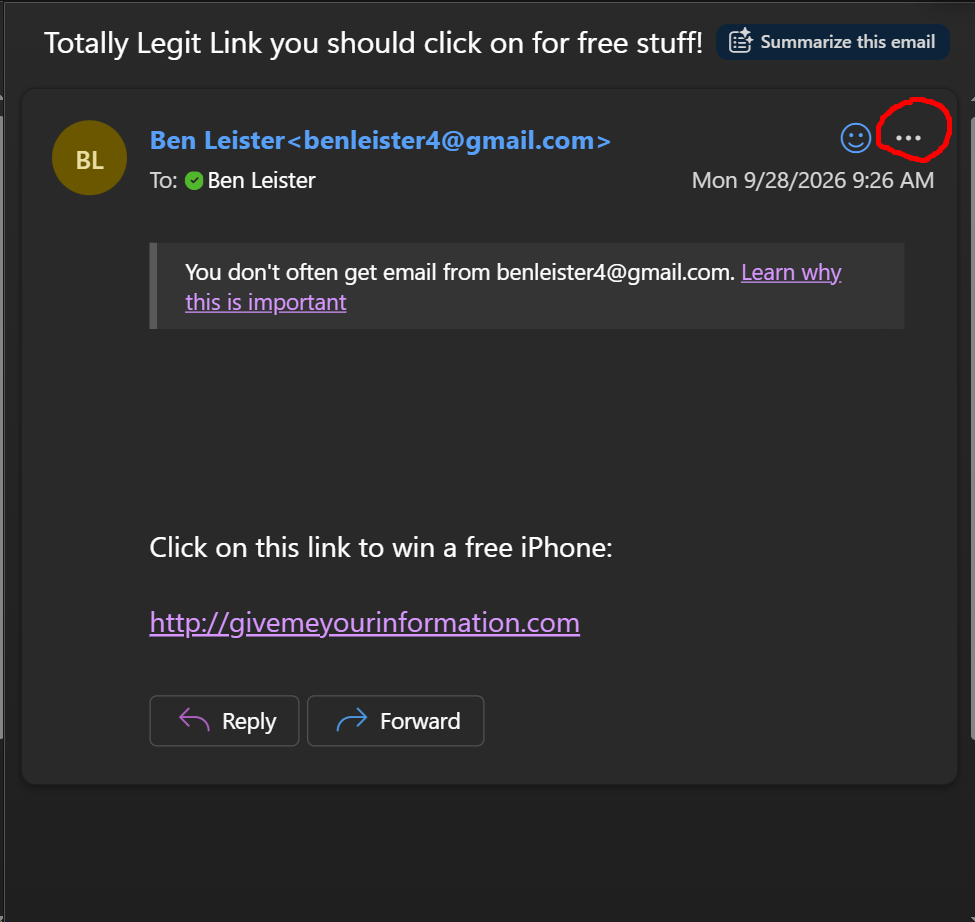
Step 1: Right-click the email itself, or the 3 dots indicated in this screenshot:
Step 2: Click Report.
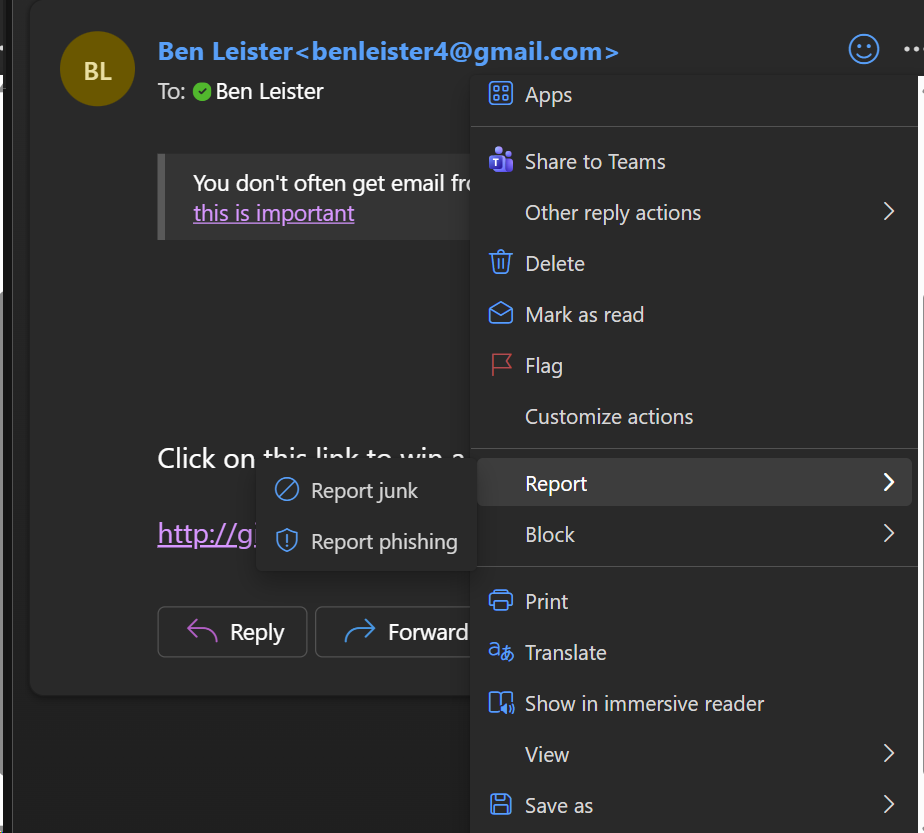
Step 3: Click Report phishing (it's trying to trick you — asking you to log in, pay something, open an attachment) or Report junk (just spam).
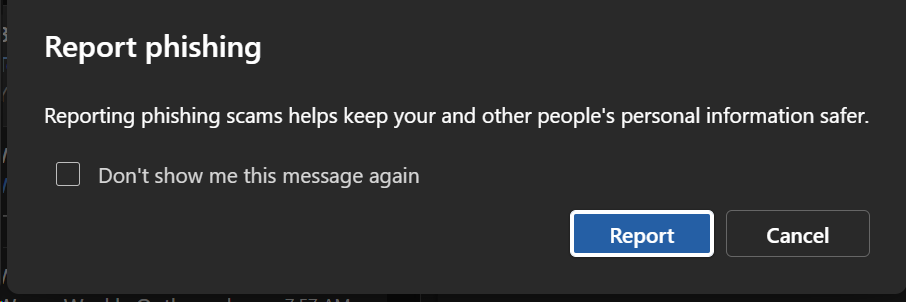
Step 4: If a confirmation box appears, click Report. Done — the email is removed automatically.
When in doubt, pick Phishing. Nothing bad happens if you're wrong.
Don't reply to it, click unsubscribe, open attachments, or forward it to coworkers to ask if it's real.
Already clicked something? Contact DTC support right away. Nobody is in trouble for reporting it.
See also: Cybersecurity Best Practices Checklist